Sign in to Portal Try Free for 30 Days

Meeting Rooms

Meeting room management and door panel system

Booking, door display, check-in and occupancy analytics: make the real usage of your rooms visible.

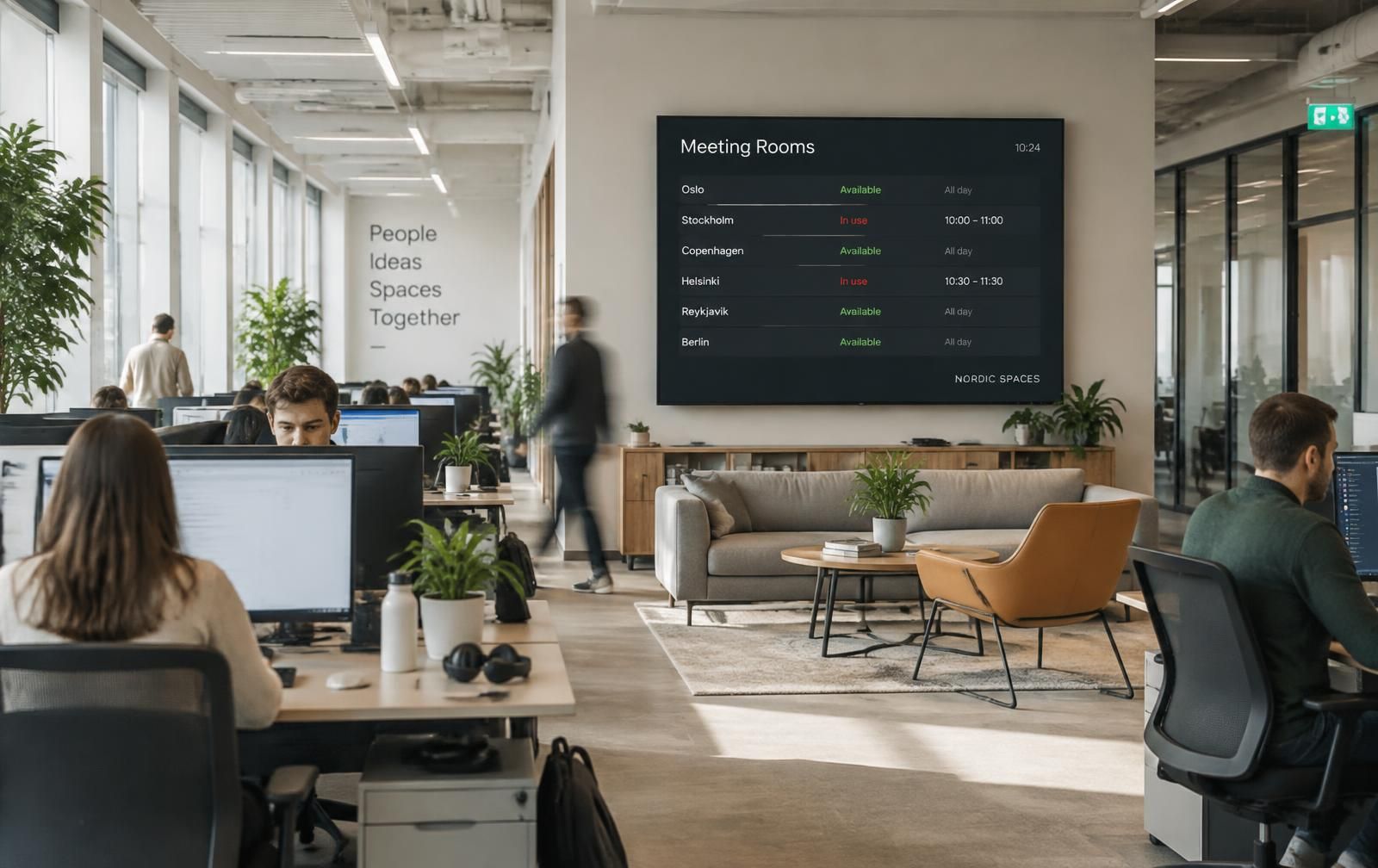
Meeting room status board in an open office
Room status board in an open office: what is free, what is busy, and what comes next.

Meeting room management is more than a calendar entry. Status at the door, verified arrival, reclaimed idle time and usage reporting are links in the same chain. Meeting builds that chain on one platform.

8
active rooms
10 s
status refresh
2
calendar providers
01

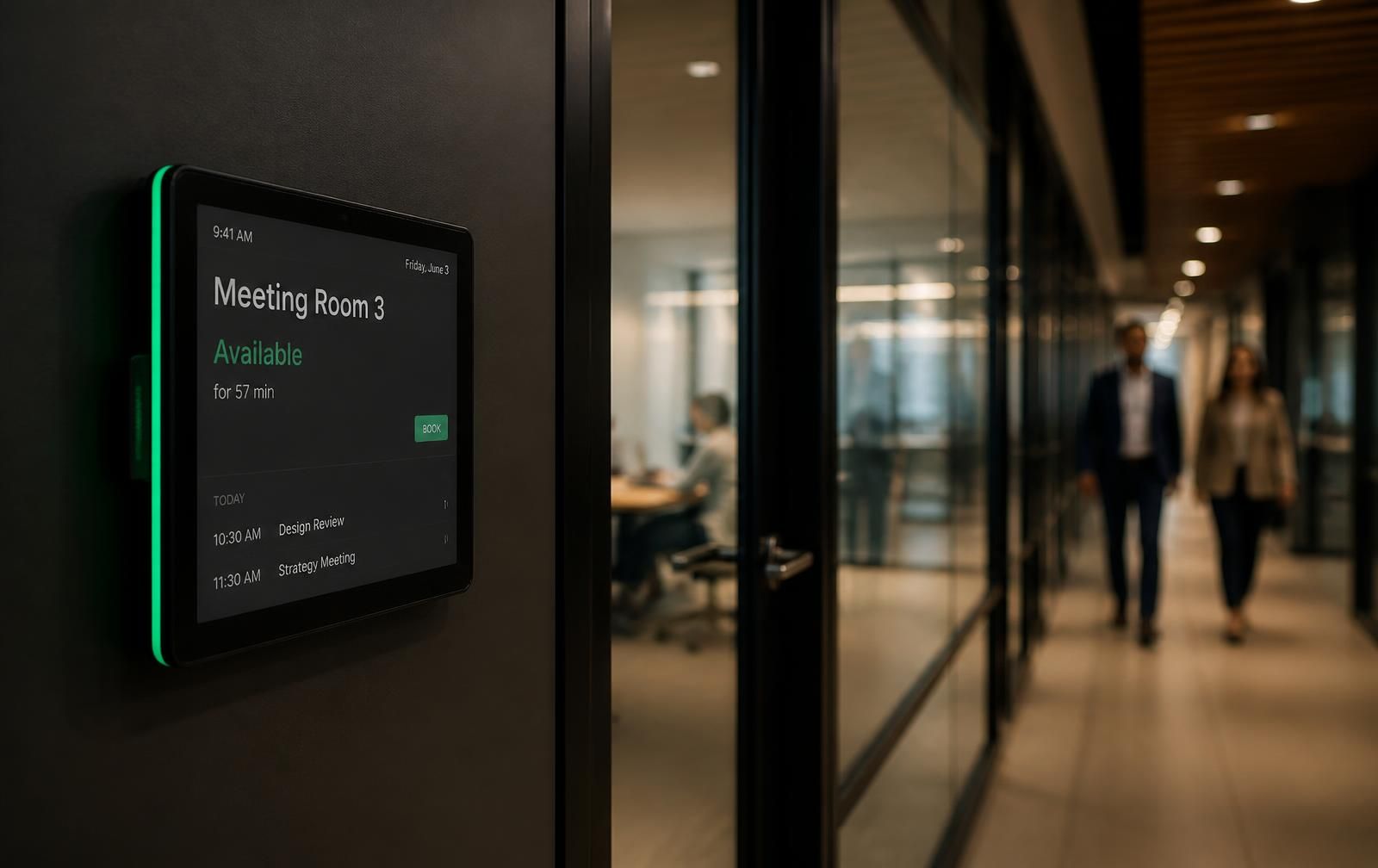
Door panel: a clear answer at the door

The panel shows the room name, live status, the end time of the current meeting and the next booking. The green-red indicator is readable from the end of the corridor.

  • Live free / busy indicator
  • Quick booking and meeting extension from the panel
  • End early and release the room
02

Check-in and auto-release

The organizer checks in on the panel. Without check-in within the configured window, the room is released and becomes bookable again — typically reclaiming tens of minutes of capacity per day.

03

Microsoft 365 and Google Workspace sync

A booking made in Outlook or Google Calendar reaches the panel within seconds, and panel changes are written back. Employees stay in the tools they already use.

  • Microsoft 365 room mailboxes
  • Google Workspace resource calendars
  • Minty Calendar as a standalone internal calendar
04

Analytics: the real story of your rooms

Occupancy, check-in rate, cancellations and no-shows, average attendees and idle time are reported — the basis for investing in new rooms or reshaping existing ones.

Floor 4 · 08

Aurora

Free

Next meeting

10:30 — 11:15 · Product Committee

Book now

Floor 4 · 08

Aurora

Busy

Next meeting

10:30 — 11:15 · Product Committee

Book now
Touch panel at a meeting room door

Room Status — Floor 4

Updated 09:42

live
  • Aurora — Meeting Room Free
  • Meridian — Executive Busy
  • Cascade — Video Conference Free
  • Vertex — Interview Busy
12/12
Online displays
74%
occupancy
8 rooms
License

Frequently asked questions

What is a meeting room management system?

It combines booking, door status, arrival verification (check-in) and usage reporting in one flow. The goal is not only to reserve a room but to make sure the reserved room is actually used.

Do we have to change our Outlook setup?

No. Rooms stay as Microsoft 365 resources; Meeting reads them and mirrors them on the panels. Employees keep booking in Outlook.

From how many rooms does it pay off?

In practice door panels and check-in make a visible difference from three rooms on; with eight rooms or more, occupancy analytics starts to drive investment decisions.

Let's measure how your rooms are really used

Share your room list and we'll draft the pilot rollout together.

We use cookies to improve your experience. You can change your preference any time. Cookie policy